
Y4 Computing: Creating a Podcast
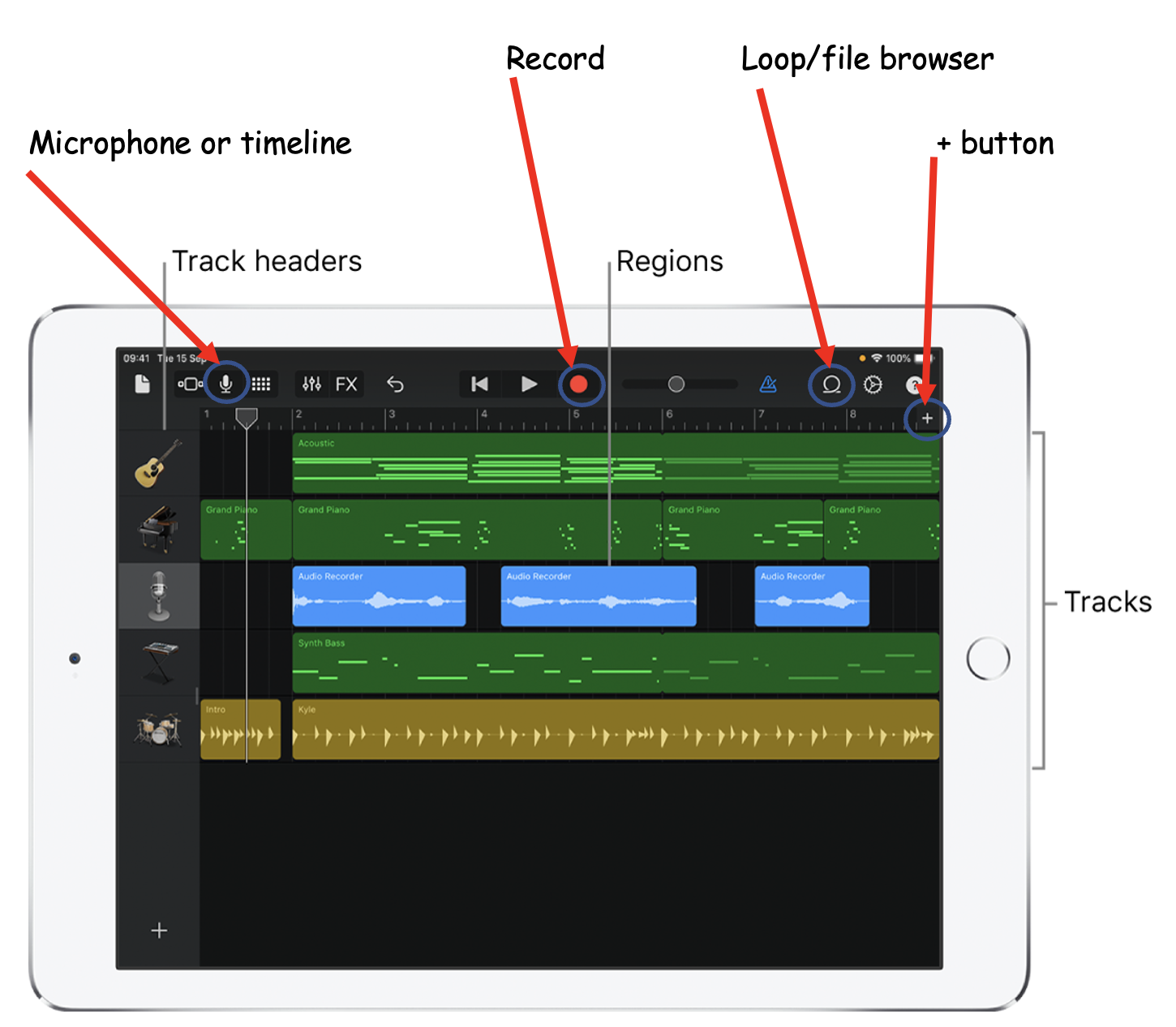
Choose a Topic for Your Episode:
- Decide on something fun and interesting for everyone. Maybe a cool science project, a book you all like, or a field trip you went on.
Give Your Episode a Cool Name:
- Think of a catchy name that describes what your episode is about, like “The Great Science Fair Adventure” or “Journey Through the Jungle Book”.
Plan What to Talk About:
- With your friends, make a list of things each person wants to talk about. You can draw a map of your conversation, like a treasure map leading from one topic to the next.
Decide Who Says What:
- Choose who will start the conversation, who will share stories, and who might ask questions. Everyone should have a turn to speak.
Practice Together:
- Before you record, practice talking about your topics with your friends. This helps everyone feel more comfortable and ready.
WMS: Minecraft Podcast Script
Introduction
Host: Welcome to the “Minecraft Mania” podcast, where we dig into the exciting world of Minecraft! I’m your host, and today I’m joined by three Minecraft
experts, Kid 1, Kid 2, and Kid 3. Are you ready to explore, craft, and build? Let’s jump right in!
Section 1: What is Minecraft?
Kid 1: Hey everyone! Minecraft is an awesome game where you can build anything you can imagine, like houses, castles, and even roller coasters!
Kid 2: That’s right! It’s like a giant digital LEGO set. And there are two main modes: Survival, where you gather resources and watch out for monsters, and Creative, where you have unlimited resources and can fly!
Section 2: Cool Facts About Minecraft
Kid 3: Did you know that Minecraft was created by a developer named Markus Persson, also known as Notch, in 2009?
Kid 1: And it’s not just about building. You can explore different worlds, like deserts, jungles, and even snowy tundras!
Kid 2: Plus, there are cute animals like sheep, cows, and even pandas!
Section 3: Our Favorite Things to Do in Minecraft
Kid 3: I love building secret bases under waterfalls. It’s like having a hidden fort!
Kid 1: I enjoy crafting items like armor and tools. It’s fun to mix different materials and see what you can make!
Kid 2: And I love exploring caves for treasure. It’s like being a treasure hunter on a big adventure!
Conclusion
Host: That’s all for today’s “Minecraft Mania” episode. Thanks, Kid 1, Kid 2, and Kid 3, for sharing your Minecraft adventures with us!
All Kids: Keep building and exploring, everyone! See you in Minecraft!
Host: Don’t forget to tune in next time for more Minecraft fun. Bye!
How to add music to your Podcast.
Follow this YouTube tutorial to import music files into GarageBand on iPad.
Chat to a virtual Mr Sheldon for help!
Use this chat feature to ask questions about GarageBand, your project, podcast ideas and more…
Example query: Create a sample podcast script on Minecraft. This should be simple for 8 year old kids to read. It should have sections for 3 people and include an introduction section. Kids should be called Kid 1, Kid 2 etc. The script should be fun, include facts and be to the point